

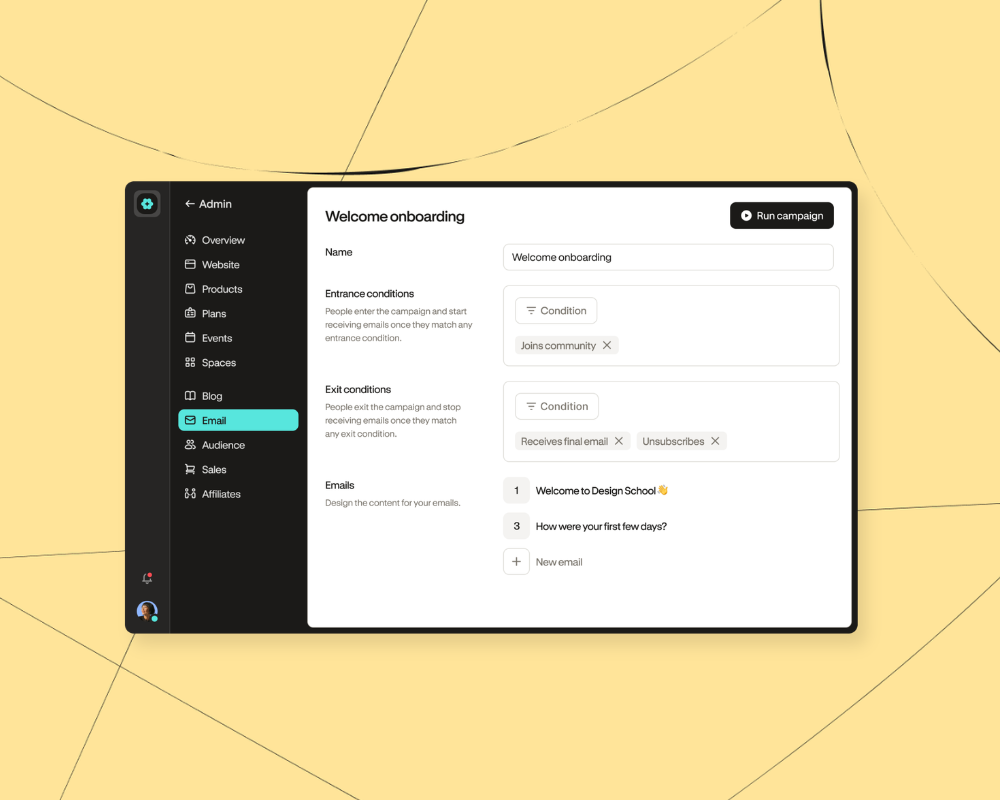

You’re ready to get serious about email, so it’s time to find the right email marketing platform for your online business.
An email marketing platform is a tool that helps you design emails, manage your list, create distinct groups of subscribers based on interests and behaviors, and track how well your emails perform. You can use your email marketing software to connect with customers and followers, promote new products, share newsletters, and run automated campaigns.
With dozens of email service providers (ESPs) that cater to small businesses, finding the right one takes time and effort.
We’re here to help.
Today, we’ll take you through:
- 9 of the best email marketing platforms for creators
- Core features and pricing for each option
- What platform is right for your online business
Without further ado, let’s dive in.
Short on time? Podia lets you run your email marketing in the same place as your website, community, online courses, and digital products. Everything is connected from day one so you can focus on serving your people. Try Podia free for 14 days.
9 best email marketing platforms to grow your list and build meaningful connections
#1 Podia

Podia is an all-in-one platform where you can manage your email marketing, build a website, sell digital products, create online courses, offer coaching, and work with affiliates – all with a single tool.
Podia Email is easy to use and comes with in-depth analytics, segmentation, tags, unlimited automated campaigns, and unlimited email sends. You can also filter your recipient list based on what products they’ve purchased, how long they’ve been a subscriber, affiliate status, and time since last active.

You can quickly create beautiful emails with Podia’s point-and-click email builder or start with one of the professionally designed email templates to save time. You can also use previous emails as a starting point so you’re not reinventing the wheel.

Best of all, Podia Email is automatically connected with your digital products and website so you can feel confident that your subscribers, tags, and customer lists are connected properly behind the scenes. No more worrying about clunky integrations or paying for dozens of different tools – with Podia, your whole business can thrive under one roof.
Podia Email features:
- Unlimited email sends
- Easier-than-drag-and-drop email editor
- Customizable email templates
- Unlimited broadcasts and newsletters
- Unlimited automated campaigns
- Segmentation and tags
- Analytics, including sales per email
- Drip campaigns
- Sales funnels
- Full website with unlimited website pages
- Online community
- Sell digital products (downloads, webinars, coaching, courses)
- 1:1 customer messaging
Who is Podia Email best for?
Podia is the best email marketing software for creators who want to manage their emails from the same place they sell their digital products, run their community, and house their website. (Of all the options in this list, Podia is the only one with a built-in community feature.)
When all your tools are automatically interconnected, you’re less likely to encounter technical hassles while running your business.
All Podia plans include unlimited email sends and full email marketing features. 100 subscribers are included on Mover, 500 on Shaker, and 1,000 on Earthquaker. You can add more subscribers anytime, and you’ll still have all the same advanced features regardless of list size.
Podia Email pricing
You’ll start by choosing the Mover, Shaker, or Earthquaker plan.
- Mover: $49/month or $42/month when paid annually (5% transaction fee), includes your website, blog, landing pages, community, plus up to 50 products. Includes 100 email subscribers.
- Shaker: $99/month or $84/month when paid annually (no transaction fees), includes everything on the Mover plan plus affiliates and 1 assistant, with up to 150 products. Includes 500 email subscribers.
- Earthquaker: $179/month or $150/month when paid annually (no transaction fees), with unlimited products, spaces, assistants, and videos. Includes 1,000 email subscribers.
Podia plans come with some email subscribers included (100 on Mover, 500 on Shaker, and 1,000 on Earthquaker). All plans include unlimited sends each month and you get the full features of Podia Email, including templates, automations, tagging, and segmentation.
You also have the option to add on email subscribers as you grow so you’re never paying for more than you need:
- Up to 500 subscribers: $10/month paid monthly, $8/month paid annually
- Up to 1,000 subscribers: $18/month paid monthly, $14/month paid annually
- Up to 2,500 subscribers: $28/month paid monthly, $22/month paid annually
- Up to 5,000 subscribers: $45/month paid monthly, $36/month paid annually
- Up to 10,000 subscribers: $70/month paid monthly, $56/month paid annually
- See the full pricing scale here
When you build with Podia, you get premium email marketing features as well as a website, digital products, online courses, unlimited customers, unlimited landing pages, and unlimited email sends all in one.
Explore Podia Email without paying a cent when you sign up for a free 14-day trial.
#2 Mailchimp

Mailchimp is a big name in the email marketing software industry, and it has a free plan that makes it easy for new entrepreneurs to get started. The free plan includes up to 250 contacts and 500 monthly email sends, but if you want helpful features like email scheduling and automations, you’ll need to upgrade to a paid plan.
All paid plans include pre-built templates for your email newsletters and campaigns, as well as chat and email support. For more features, Mailchimp’s Premium plan includes advanced segmentation, unlimited audiences, and unlimited team seats.
Mailchimp features:
- Free plan
- Subscriber limits on all plans
- Email send limits on all plans
- Email templates
- Forms and landing pages
- A/B testing on paid plans
- Email scheduling on paid plans
- Website
- Landing pages
Who is Mailchimp best for?
Mailchimp is best for creators who need email marketing features but don’t need to send a high volume of emails per month, since all plans have email send limits.
Mailchimp pricing
Mailchimp offers four different plan tiers, and the price of each tier increases as your list grows. Each plan also has email send limits, so if you hope to send lots of messages to your followers, this is something to keep an eye on.
- Free: Up to 250 contacts with 500 monthly email sends
- Essentials: Starting at $13/month for 500 contacts and 5,000 monthly email sends
- Standard: Starting at $20/month for 500 contacts and 6,000 monthly email sends
- Premium: Starting at $350/month for 500 contacts with 150,000 monthly email sends
#3 Kit

Kit (formerly ConvertKit) is a creator marketing platform with tools to help you build your email list, create automations, sell digital downloads, and sell newsletter access. Kit is known for automations so you can design custom subscriber journeys based on entrance and exit conditions, and there are email styling features so you can make your messages match your brand.
They also have a recommendations tool where you can feature other creators in your newsletter, and be featured in other newsletters in return. While they don’t have full website functionality, they do let you make a mini website to promote your email list and lead magnets.
Kit features:
- Free plan
- Landing pages and sign up forms
- Visual automation builder
- Email designer
- Paid newsletters
- Paid recommendations
- Sell digital downloads
Who is Kit best for?
Kit has a solid free plan that lets you start sending your newsletter and building your list for up to 10,000 subscribers. Beyond the free plan, Kit works well for users who want a visual automation builder so they can design custom email marketing campaigns and pathways for their subscribers. Kit is also a good choice if you want built in collaboration through the Recommendations feature.
Kit pricing
Kit has three plans that increase in price as you add more subscribers.
- Free: Up to 10,000 subscribers
- Creator Starting at $39/month for 1,000 subscribers ($33/month billed annually)
- Pro: Starting at $79/month for 1,000 subscribers ($66/month billed annually)
#4 MailerLite

MailerLite is an email marketing tool with email templates, digital products, and a website builder. You can set up automation workflows to keep in touch with your contact list, and you can integrate MailerLite with most of the apps and tools you already use and love.
MailerLite’s free plan includes up to 250 subscribers, but you have a limit of 2,500 email sends per month. You can build a website but are limited to 1 landing page and 1 digital product.
When you’re ready to upgrade, MailerLite has two main paid plans, Comfort and Power, plus an Enterprise plan for larger businesses, that increase in price as you gain more subscribers. On the paid plans, you can get more email sends, website pages, digital products, and the ability to offer paid newsletters and subscriptions.
MailerLite features
- Free plan
- Unlimited audiences
- Website and landing page builder
- Segments and tags
- Newsletter templates
- Automation tools
- A/B testing
- Sell digital products
- Sell newsletter access
Who is MailerLite best for?
MailerLite’s paid plans are suitable for those who need their email alongside the ability to sell digital downloads, create a website, and offer paid newsletters. The Power plan has unlimited email sends, landing pages, and forms.
MailerLite pricing
- Free: Free for up to 250 subscribers with a limit of 2,500 email sends per month
- Comfort: Starts at $12/month for up to 500 subscribers, $19/month for 1,000 subscribers
- Power: Starts at $25/month for up to 500 subscribers, $39/month for 1,000 subscribers
- Enterprise: Custom pricing for bigger businesses
#5 ActiveCampaign

ActiveCampaign focuses on advanced marketing automation and AI features for managing email marketing efforts at a larger scale. ActiveCampaign also offers Customer Relationship Management (CRM) functionality, allowing you to track and manage leads and potential clients.
Like most email marketing software, ActiveCampaign offers different plans and pricing tiers based on the number of contacts or subscribers you have. You can create multi-step marketing automations, create different segments, send emails with conditional content, and integrations with popular ecommerce tools.
ActiveCampaign features:
- AI features
- Marketing automations
- Email marketing
- Segmentation
- Landing pages
- CRM and sales automation
- Lead scoring
- A/B testing (also known as “split-testing”)
Who is ActiveCampaign best for?
ActiveCampaign is best suited for creators and ecommerce businesses who are familiar with complex email marketing tactics, and who are looking for built-in AI features. The Pro plan is good for small teams with three user seats, and the Enterprise plan is good for bigger teams with five user seats.
ActiveCampaign pricing
ActiveCampaign has four plans that increase in price as you add more contacts.
- Starter: $15/month for 1,000 contacts, email sends are 10x contact limit
- Plus: $49/month for 1,000 contacts, email sends are 10x contact limit
- Pro: $79/month for 1,000 contacts, email sends are 12x contact limit
- Enterprise: $145/month for 1,000 contacts, email sends are 15x contact limit
#6 AWeber

AWeber is an email tool where you can connect with followers, sell digital products, and use automation features to keep your business moving behind the scenes.
There are built-in AI tools to help you generate subject lines and draft your email content, and you can use email automations, tagging, segments, and dynamic content. You can create landing pages, signup forms, and digital products on all plans.
AWeber features:
- Newsletters
- Email automations
- Email templates
- Landing pages
- Sell digital products
- Web push notifications
Who is AWeber best for?
AWeber works for users who need email marketing features, landing pages, custom segments, and the ability to sell products in one place. It also has advanced features like email split testing, sign-up form split testing, RSS to email, HTML emails, and web push notifications.
AWeber pricing
AWeber has three plans, Lite, Plus, and Done For You.
- Lite: Starting at $15/month for up to 500 subscribers
- Plus: Starting at $30/month for up to 500 subscribers
- Done For You: $30/month for up to 500 subscribers + $599 set up fee
#7 Brevo

Brevo is an AI-powered email marketing platform for businesses that need a CRM tool to track leads and communicate with potential clients. In addition to email marketing tools, Brevo offers SMS marketing, WhatsApp campaigns, live chat, and Chatbot features.
With Brevo, plans are determined based on features and how many emails you’d like to send per month. There’s a free plan that lets you send 300 emails per day and has some basic features, and paid plans have email marketing, AI features, templates, segments, and sign up forms.
Brevo features:
- Free plan
- Email marketing
- WhatsApp marketing
- SNS Campaigns
- Chatbot
- Push notifications
- Transactional emails
- Workflow editor
Who is Brevo best for?
Brevo is primarily an email and multichannel marketing platform rather than an all-in-one website and digital-product platform. Because you pick your plan based on monthly email sends, you should have a good idea of how much you send each month to avoid overpaying or hitting your limits.
Brevo is also a good choice for users who are looking for email marketing coupled with transactional emails, SMS messaging, in-depth sales tracking, and chat tools.
Brevo pricing
- Free plan: Email limit of 300 sends per day
- Starter plan: Starting at $9/month for 5,000 monthly email sends
- Standard plan: Starting at $18/month for 5,000 monthly email sends
- Professional plan: Starting at $499/month for 150,000 monthly email sends
#8 Flodesk

Flodesk is known for having nice-looking email templates, and in the last few years they also expanded to offer checkout carts, link in bio pages, and automations. There’s a free plan where you can build email sign up forms, landing pages, and link in bio pages to grow your list, but you can’t start sending emails until you pick a paid plan.
The Pro plan unlocks email sending, email automations, forms, and some checkout features, while the Everything plan has all ecommerce options and more integrations. Flodesk has landing pages but not a full website builder tool. While it can handle checkout and file delivery, Flodesk doesn’t have a course builder or community feature, so you might need extra tools as you grow.
Flodesk features:
- Pay based on how many subscribers you need
- Free plan (for growing a list, not email sending)
- Unlimited email sends
- Unlimited workflows
- Automations
- Segments
- Upsells
- Checkout pages
- Transactions and digital file delivery
Who is Flodesk best for?
Flodesk is best for visual brands that want to send heavily designed and photo-heavy emails. The Flodesk templates are well-suited for ecommerce, and their checkout tool is a good fit for businesses selling digital files.
Flodesk pricing
- Free: With the free plan, you can make email sign up forms and a link in bio page to grow your list, but you can’t start sending emails until you’re on a paid plan
- Pro: Starts at $28/month for up to 1,000 subscribers
- Everything: Starts at $54/month for up to 1,000 subscribers
#9 GetResponse

GetResponse is an email marketing tool that offers a range of plans based on the number of contacts you have. The plans scale from basic list-building up to a full setup for selling courses and running an online store. Every paid plan comes with unlimited monthly email sends, AI-powered content generators, a landing page builder, and signup forms.
As you move up the tiers, you unlock more automation and selling features. The entry Starter plan includes a welcome email series and one custom automation workflow. From the Marketer plan up, you get unlimited automation workflows, advanced audience segmentation, abandoned cart recovery, sales funnels, and promo codes.
To sell courses or build out a full website, you'd need the Creator plan or higher. That's where webinars, the website builder, and course creation tools are unlocked, though you’re limited to how many students you can enroll based on your plan.
GetResponse features:
- Unlimited monthly email sends on every paid plan
- AI-powered content generators
- Welcome email series and automation workflows
- Audience segmentation
- Landing page builder, signup forms, and popups
- Abandoned cart recovery, sales funnels, and promo codes
- Webinars, website builder, and courses for up to 500 students
- Premium newsletter subscriptions
Who is GetResponse best for?
The Starter plan works if you mainly want to grow your list and send email campaigns with a bit of automation. The higher plans are a better fit if you need unlimited automation, deeper segmentation, and tools to sell courses or run an online store, all in one place.
GetResponse pricing
Here are the GetResponse pricing plans.
- Starter: $19/month for 1,000 subscribers
- Marketer: $59/month for 1,000 subscribers
- Creator: $69/month for 1,000 subscribers
- Enterprise: Custom pricing
Try these 9 best email marketing services to grow your audience and your online business
The right email platform can help you stay in touch with your target audience on your own terms. Your software of choice should be user-friendly so you don’t waste time setting up complex systems that you don’t really need, and it should give you all the tools you need to execute whatever email marketing strategy you like. We hope this list helps you find the best email marketing solution for you.
Need a place to start?
Podia is an all-in-one platform that connects your email with your website, community, and digital products. Sign up for a free 14-day trial today.


