


Finding the right membership platform isn't just about features, it's about choosing a tool that helps you grow a sustainable business. Many membership site comparisons focus on fancy features and technical capabilities but miss the bigger picture: How well does your tool support your long-term success as a creator?
Memberships have become serious business. Goldman Sachs Research projects the creator economy will roughly double to $480 billion by 2027, and recurring membership revenue is one of the steadiest ways creators are claiming their share.
We're seeing that play out on Podia as well. Creators with membership communities earn an average of $674 a month in subscription revenue alone, and several of our top creators have brought in over $1 million in membership sales in the past year.
In this article, we'll cover:
- Why focusing only on membership features can limit your growth
- What you really need to support your membership business
- A breakdown of the top membership platforms to help you find the best fit for you
TLDR: Our top pick is Podia, since it combines your membership, courses, website, and email marketing in one place, so start your free trial today and see what you can build.
Focusing on memberships alone can hold you back. Here’s what you need instead.
Memberships are a powerful way to build community, gate premium content, connect with customers, and generate that oh-so-enticing recurring revenue. But they can also turn into a never-ending content treadmill, where you constantly have to create new material to keep members engaged.
If your tool only supports memberships, you're limiting your business to one way to earn. Your members might be eager to buy courses, downloads, or other offers that don’t require regular updates, but you miss out if your tool doesn't support them. A great membership platform should help you engage your members, deliver value, and expand your offers without technical headaches.
You need to be able to:
- Build your membership site, sell membership access, and build an interactive community
- Offer other digital products like courses, downloads, events, and coaching
- Use email marketing to connect via newsletters and automations
- Set up flexible payment options and plans for your members
Some platforms provide everything in one place, while others require third-party integrations, we'll explore both types below.
Top membership platforms for building a business
With that in mind, take a look at these popular tools for running your membership business:
- Podia — Best all-in-one platform for running a membership and the rest of your online business
- Kajabi — All-in-one option with courses, products, and memberships
- Mighty Networks — Community-focused platform with option to sell courses
- Circle — Community-focused platform with the option to make a branded app
- Patreon — Platform for fan memberships and support communities
- Thinkific — Course platform with membership capabilities
- Membership.io — AI-powered community platform
- MemberPress — WordPress membership plugin with paywalls and subscriptions
Read on to find the best fit for the project you’re building.
#1 Podia — best all-in-one membership & online business platform

Podia is an all-in-one platform that allows creators to build and manage their entire online business. Community is included on all plans, and you can let people join for free or charge a monthly or annual subscription for membership. You can also sell courses, digital downloads, coaching offers, live and virtual events, and pretty much any other kind of product you like.
Because Podia connects your community, events, and products, we’ve seen people structure their memberships all kinds of ways.
You can create a resource library and charge for access. You can make a private membership community with live calls and exclusive access to events. You can create group coaching subscriptions or create community spaces for people who have particular products.

For example, Jes Sudbrink from Hello Homeschool Art has a membership where students can get access to all art lessons on-demand, or with the option for monthly live calls. People can also sign up for individual classes, but the membership is the best value.
Once your members are inside the community membership you’ve built, they have access to a dynamic home feed, 1:1 and group chats, private member areas, leaderboards, member profiles, and a member directory. They’ll be able to see all the content, spaces, and products they have access to in one smooth dashboard, which makes it easy to come back again and again.

You can also market everything you make with built-in landing pages, blogging, and your own website. On top of that, Podia provides tools to attract new people (affiliates, lead magnets, email sign-up forms), nurture those leads (newsletters, email automations), and keep an eye on your customer data, all from one easy-to-use dashboard.
You can:
- Sell memberships, digital products, coaching, and courses — Your memberships can seamlessly include online courses, live events, and digital downloads, as well as discussion areas and community spaces where members can collaborate.
- Nurture your followers with built-in email marketing — Stay connected with members using broadcasts and automated sequences directly from Podia. No need to wire up a bunch of tags and rules with a third-party email provider.
- Create a beautiful website and blog — Every Podia plan includes unlimited landing pages, blogging, and an easy-to-use website builder, giving you multiple ways to bring people into your business.
- Scale your revenue as your business grows — You can offer tiered pricing, monthly and annual subscriptions, free trials, payment plans, upsells, coupons, and product bundles to give your customers whatever checkout experience you want.
- Eliminate third-party tools — Podia handles your website hosting, payment processing, and email marketing you can run your entire membership business without juggling multiple tools.
A note on email: Podia also offers full featured email marketing with automations, sales funnels, analytics, and newsletters, helping you stay in touch with your people. Email subscribers are included on all plans (100 on Mover, 500 on Shaker, 1,000 on Earthquaker), and you can always add on more as your list grows.

How can it help me build a business?
Podia is designed for creators who want to build a complete online business, and your membership can be a key part of that. With built-in tools for website creation, email marketing, digital products, and automation, you can grow an engaged following while selling memberships, courses, products, coaching, and anything else you can dream up. All without needing additional software.
Podia pricing
- Mover: $49/month ($42/month billed annually) with a 5% transaction fee. It includes your website, blog, landing pages, community, digital products, and courses, with up to 50 products, 25 community spaces, and 100 email subscribers.
- Shaker: $99/month ($84/month billed annually) with no transaction fees. It includes everything in Mover, plus affiliate marketing, upsells, one assistant seat, and integrations with PayPal, Zoom, and Zapier, with up to 150 products, 100 community spaces, and 500 email subscribers.
- Earthquaker: $179/month ($150/month billed annually) with no transaction fees. It includes everything in Shaker, with unlimited products, unlimited assistant seats, unlimited video storage, unlimited community spaces, and up to 1,000 email subscribers.
All plans come with a 14-day free trial and include access to Podia's email platform. Email subscribers are included on all plans, and you can add on more any time. Podia also provides free migrations for users moving from other platforms.
Pros: One of Podia's biggest advantages is that you can build and sell digital products in addition to running your membership community. Many customers find that having their products, community, and marketing tools under one roof saves them time and simplifies their workflow. And because your website is included, you can go from total newbie to real business owner in an afternoon.
As classical piano instructor Joseph D'Amico puts it, "I believe that Podia is the best option for most people, especially those who do not already have a website and those who anticipate selling products online. You can start small by building a beautiful website and eventually grow into something much more significant."
Cons: Podia may not be the best fit for creators who need code-level customization or prefer to build their own tech stack with third-party integrations. Podia does not support physical product sales either, so you might need to connect an extra tool if that’s part of your business plan.
#2 Kajabi — All-in-one with memberships and products

Kajabi is another all-in-one option for creators who want to sell online courses, digital downloads, podcasts, coaching, memberships, communities, and newsletters, all while managing everything in the same place. Kajabi has your website, blog, and landing pages, making it easy to promote your offerings.
You can make a membership in Kajabi by setting up a subscription payment option with weekly, monthly, or yearly billing for your products. You can make all your membership content available right away or drip it out over time to encourage members to stick around longer. You can also set up a membership using Kajabi's community feature, using different Access Groups to control what specific members can see.
While there are a lot of features that can help grow your business, it's important to note that Kajabi has product and contact limits on all plans, which could restrict your growth over time.
For example, Kajabi's Basic plan ($179/month or $143/month billed annually) includes just five products and 2,500 contacts. If you sold a couple of downloads, a coaching session, a membership, and an online course, you would already be at your limit and would need to upgrade to the Growth Plan to add anything else.
At Podia, our users build an average of 5.6 products, and we love seeing creators experiment with different products as they grow. This is much harder to do when you're capped at a very low number of products, and if you wanted to make 5.6 products on Kajabi, you'd need the Growth plan ($249/month or $199/month billed annually) to make it happen.
(For comparison purposes, the Podia Mover plan ($49/month) supports up to 50 products, so building 5.6 products fits comfortably within the entry plan.)
How can it help me build a business?
Kajabi is a solid choice for creators who want a membership that connects to their website, products, and courses. You can set up recurring payments for ongoing membership access, and Kajabi doesn't take a cut of your sales when you use Kajabi Payments (third-party payment providers come with an extra fee, though).
Kajabi pricing
- Basic Plan ($179/month or $143/month billed annually): Offers 1 website, 5 products, 2,500 contacts, 1 community, 2 admin users, unlimited marketing emails, and third-party integrations.
- Growth Plan ($249/month or $199/month billed annually): Provides 1 website, 50 products, 25,000 contacts, 1 community, 11 admin users, unlimited marketing emails, and affiliate programs.
- Pro Plan ($499/month or $399/month billed annually): Features 3 websites, unlimited products, 100,000 contacts, 3 communities, 26 admin users, unlimited marketing emails, and a custom code editor.
Pros: Kajabi's biggest advantage is that it's an all-in-one platform, allowing you to build and manage a membership that's automatically integrated with your website, digital products, and email. You can set up your membership as a subscription to certain products or as a community with member interaction, depending on what your business needs.
Cons: Kajabi is one of the more expensive all-in-one platforms, and most plans have product and contact limits. The introductory level plan is $179/month and only comes with 5 products, which could limit your ability to explore different products when you’re first starting out.
#3 Mighty Networks — Community-based membership platform

Mighty Networks is designed for people who want to build engaged membership communities and offer interactive experiences for their members. Every plan includes unlimited members, spaces, and moderators, allowing you to structure your community however you like.
Mighty Networks comes with live events, member profiles, personalized feeds, and gamification features. The platform also includes live streaming and chat functionality for real-time interactions. On higher-tiered plans, you can unlock courses, challenges, and resource libraries to add more value to your membership.
If you want to monetize your community membership, you can set up multiple pricing tiers and payment plans, as well as one-time and monthly/annual recurring subscriptions.
That said, Mighty Networks focuses primarily on community engagement rather than business growth tools. There's no built-in email marketing, affiliates, or digital product tools, and the Launch and Scale plans only come with one landing page each, so you'll need additional software to generate leads, build sales funnels, and grow your business.
On top of that, all plans include transaction fees, which can impact your earnings as your membership grows. There are also storage and live streaming hour limits on all plans.
How can it help me build a business?
Mighty Networks is best for creating an interactive community with built-in engagement tools like live events, chat, and gamification. On higher plans, you can add courses and additional content to give your membership more value, and you can also set up a referral program to encourage your members to invite their friends.
Mighty Networks pricing
- Launch Plan ($95/month or $79/month billed annually): Unlimited members and spaces, with courses, events, and basic automations. 200GB total storage and 20 streaming hours per month. 2% transaction fee.
- Scale Plan ($215/month or $179/month billed annually): Everything in Launch, plus more automations, multi-feature spaces, API and integrations, and migration services. 500GB storage and 30 streaming hours per month. 1% transaction fee.
- Growth Plan: $425/month ($354/month when paid annually) with a 0.5% transaction fee: Includes everything in Scale, plus 3 landing pages, advanced automations, simultaneous promotions, growth expert sessions, priority support, and 1TB storage
- Mighty Pro (custom pricing): Everything in Scale, plus custom-branded iOS and Android apps, a dedicated strategy team, advanced data reports, and unlimited everything. 4TB of storage and 50 streaming hours per month. 0.5% transaction fee.
Pros: Every plan includes members, spaces, hosts, and admins, making it easy to scale your community. There are also gamification tools like questions, polls, streaks, and top contributor highlights to encourage engagement. Mighty Networks also includes courses and resource libraries, making it a flexible option for creators who want to offer education alongside their memberships.
Cons: You'll need separate tools for your website, blog, and email marketing. There are transaction fees on all plans, which can cut into your earnings as your program grows. There are also storage and streaming limits on all plans. Member data export options vary by plan, making it harder to migrate your community if needed.
#4 Circle — Community-first all-in-one option

Circle is designed specifically for building online communities. Circle lets members set up rich profiles, have discussions, send DMs, and participate in community events.
It provides options for gating content, setting up different payment tiers, and offering upsells to increase order value. Both core plans include a website builder, so you're not limited to just a community space. If your membership grows significantly, the custom-priced Circle Plus plan adds enterprise features like a branded mobile app on iOS and Android.
Because Circle is primarily community-focused, it may not be the best choice if you want to create a product-focused membership. Courses and products are built entirely inside Circle communities as spaces behind a paywall, so there's no way to sell a course or digital product as a standalone purchase outside of community access. Free migrations are also limited to the Business plan and above, so you'd need to rebuild things yourself if you start on Professional.
How can it help me build a business?
Circle allows you to monetize your community by offering gated spaces, interactive courses, installment plans, one-time payments, and recurring memberships. You can engage your members with live events and streams, DMs and messages, and gamification, and both core plans include a website builder to promote what you're building. On the custom-priced Circle Plus plan, you can add enterprise features like a branded mobile app, admin APIs, and built-in AI tools.
Circle pricing
- Professional Plan ($89/month billed annually): 20 community spaces, 100GB storage, 100 live stream attendees, 10 hours of live stream functionality, courses, and a website builder. 2% transaction fee.
- Business Plan ($199/month billed annually): 30 community spaces, 250GB storage, automations, scheduled workflows, 200 live stream attendees, 15 hours of live stream functionality, and free migrations. 1% transaction fee.
- Circle Plus (custom pricing): Enterprise-level features including white-label and branded mobile apps, advanced workflows, admin APIs, and built-in AI features, designed for larger teams or complex setups.
Note: Circle's listed prices are for annual billing, and the platform doesn't publish a separate month-to-month rate.
Circle also has an Email Hub add-on for email marketing, which is free for up to 100 contacts. Beyond that, you can add up to 500 subscribers for around $19/month, and plans scale from there.
(For comparison, email marketing is included with every Podia plan, up to 100 subscribers on Mover, 500 on Shaker, and 1,000 on Earthquaker, and you can add more subscribers as your list grows.)
Pros: One of Circle's biggest strengths is community. You can create highly interactive spaces with discussion threads, live streams, events, and courses designed for community engagement, and both core plans come with a built-in website builder. You can also transform your community into a paid membership by charging for access and adding different payment tiers.
Cons: Circle is more expensive than many other community membership platforms, and all plans include space and storage limits, as well as transaction fees. Courses and products live entirely inside community spaces, so there's no way to sell them as standalone purchases. Free migrations are only included on the Business plan or above, and while the Email Hub add-on provides email marketing, its cost scales quickly as your contact list grows.
#5 Patreon — Fan support platform with recurring subscriptions

Patreon is a fan support platform where people who enjoy your work can subscribe in exchange for exclusive content. This is common for YouTubers, podcasters, musicians, and artists who mostly produce free content and need a way to keep making work their followers love.
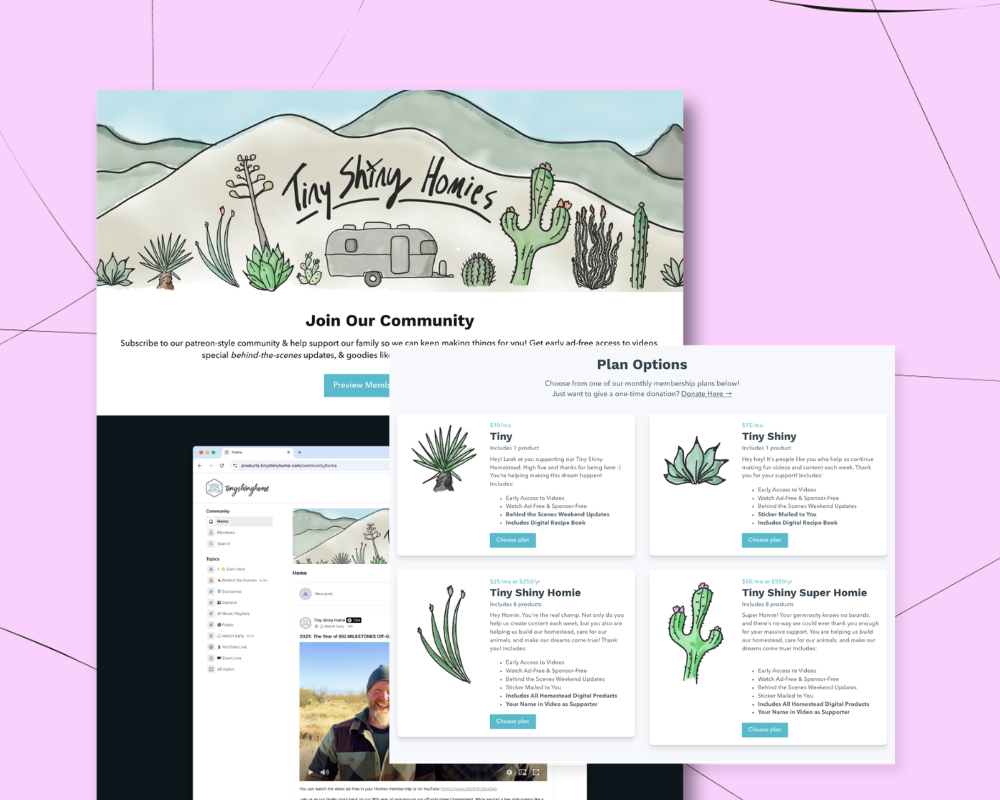
Patreon lets you set up multiple membership tiers and gate different rewards, content, and merch at each level. People can sign up monthly or annually, and you can share updates and content right on the Patreon platform. There are also community tools for connecting with followers, like DMs, chats, and commenting.
Patreon works well for building a fan community around your work, but it's not the best if your membership focuses on educational content like courses or coaching programs.
Patreon has a storefront feature for selling digital files and accepting one-time payments, but you'll need a separate tool for events, courses, coaching, and other digital offers. There aren't many customization options for your Patreon home page either. All creator pages pretty much have the same layout and look, so if you want to design your own custom landing page and membership area, you'll need another tool.
How can it help me build a business?
If you already have a following from your content (like your podcast, social media, or YouTube channel), Patreon is a way to let them support your work. You can simply accept donations or give members exclusive content and other behind-the-scenes perks in exchange for their subscription.
Patreon pricing
It's free to set up a Patreon, but you'll pay transaction fees on all your platform earnings.
- 10% transaction fee on all sales made on the platform.
- 30% additional transaction fee on all sales made through the Patreon iOS app. If a customer subscribes through the Patreon iOS app, Apple's purchase system takes 30% on top of Patreon's 10% platform fee.
Pros: Patreon is well known for being a fan support tool so it's likely your audience has already heard of it and knows how it works. This works well for people who mainly create free content and just need some support beyond ads and brand deals. It's free to set up, all you need to do is add your information, set your pricing tiers, and publish.
Cons: It's hard to grow a Patreon if you don't have an existing audience. There's no option to get rid of platform fees as you grow, which could eat into your earnings significantly, and that fee jumps even higher on purchases made through Patreon's iOS app.
Patreon also isn't the best fit if you want to sell a membership with courses, digital downloads, and other educational content. It's more suited for fan communities.
#6 Thinkific — Course platform with memberships

Thinkific is mainly an online course platform, but it also has tools for selling communities, downloads, coaching, webinars, and memberships. You can charge a one-off fee or add recurring payments and set up a landing page and website for promoting your membership.
Thinkific also has an app store where you can find and connect other tools that work with the platform. Some of these are free and some are paid, but it can be a nice option to add on more as your business grows.
One important limit to know about: all three standard Thinkific plans cap out at 10,000 students. If your audience grows beyond that, you'd need to remove people or upgrade to Thinkific Plus, which is custom-priced enterprise territory.
Another thing to know is that Thinkific’s membership feature isn’t available on the Basic plan. You’ll need the Start plan or higher to offer a membership and charge subscription pricing, which makes this a more expensive option than some of the other options on this page.
How can it help me build a business?
Thinkific supports unlimited courses on every plan, so if courses are a part of your business model, that’s a nice perk. But the catch is that paid memberships and subscriptions aren't included until the Start plan and above.
Thinkific pricing
- Basic Plan ($54/month or $40/month billed annually): 10,000 students, unlimited courses, 1 community with 5 spaces, 100GB of course video bandwidth per month, up to 5 digital downloads, and up to 5 coaching or webinar sessions. Paid memberships aren't included on this plan.
- Start Plan ($109/month or $82/month billed annually): 10,000 students, unlimited courses, live events and coaching sessions, 1 community with 10 spaces, memberships and subscriptions included, and 200GB of course video bandwidth per month.
- Grow Plan ($219/month or $164/month billed annually): 10,000 students, unlimited courses, live events and coaching sessions, 3 communities with 20 spaces, the ability to remove Thinkific branding, third-party integrations, and 400GB of course video bandwidth per month.
- Thinkific Plus (custom pricing): Enterprise plan for high-growth businesses needing custom student limits, SCORM courses, SSO, and dedicated onboarding.
Reminder: Paid memberships are gated behind the Start plan, so the Basic plan works for course sales but not membership or subscription access.
Pros: Thinkific has lots of features for building your business all in one place, and unlimited courses are included even on the entry-level Basic plan. It works well for setting up an educational membership with courses, products, and content, and you can promote your membership with a built-in website and landing pages.
Cons: In order to unlock paid memberships and subscriptions, you'll need the Start plan ($109/month or $82/month billed annually) or above. All standard plans cap out at 10,000 students, so fast-growing audiences will eventually need to move to the custom-priced Thinkific Plus.
While Thinkific does have websites and landing pages, there's no blogging feature, so you'll need a separate tool if you plan to grow your business that way.
#7 Membership.io — AI-powered community tool

Membership.io has repositioned itself as an AI-powered community platform. On their homepage, they highlight the ability to describe what you want to make and have AI generate it for you quickly, so this could be a good option if you're interested in building AI-assisted content into your products.
You can create a library of content, videos, and files, and pull in content from around the web to add to that library. Membership.io also lets you set up private community areas for your members, and if you want a fully branded experience, there's an option to build a custom mobile app for an additional fee.
How can it help me build a business?
Membership.io works well if you have a lot of existing content spread out across different social media platforms and channels, and you want help bringing it all together in one place. You can organize everything into Hubs, enroll unlimited members, and use AI to personalize the experience for your members.
Membership.io pricing
- Start Plan ($49/month or $41/month billed annually): 1 Member Hub, unlimited members, unlimited content playlists, an AI content library, and an analytics dashboard.
- Grow Plan ($119/month or $99/month billed annually): Everything in Start, plus 3 Member Hubs, personalized content, content automations, custom branding and domains, and 5 team members.
- Scale Plan ($219/month or $183/month billed annually): Everything in Grow, plus 10 Member Hubs, a dedicated platform success advisor, API access and webhooks, and 10 team members.
Pros/Cons: Membership.io leans heavily into AI, letting you generate content, personalize what members see, and search your library quickly. Depending on the role you want AI to play in your business, this could be a pro or a con.
Pros: You can build a library of content for your members and you can also build courses and coaching offers in the same tool.
Cons: There's no events feature, so you can't host virtual or in-person events through the platform. Membership.io also isn't a full all-in-one solution: there's no built-in email marketing, blogging, or website builder, so you'll need to connect other tools to cover those parts of your business.
#8 MemberPress — Membership and paywall plugin for WordPress

MemberPress is a WordPress plugin that lets you add a membership area to your WordPress website. The plugin allows you to add unlimited memberships with as many members as you like, and you can set up subscription plans, discount codes, free trials, gated membership areas, and dripped content. Higher-tiered plans also come with membership gifting and order bumps for more flexibility.
In addition to memberships, MemberPress has a tool for creating online courses. All courses can have unlimited lessons, and higher-tier plans also come with quizzes, assessments, and course certificates.
While MemberPress itself doesn't come with a website or blogging feature, it works on top of WordPress which allows you to do these things. There's no email marketing built in, but MailChimp integration is included starting on the entry plan, with more marketing and payment integrations on higher tiers.
How can it help me build a business?
MemberPress is a good option if you already use and like WordPress. If you've already got a site, this tool can help you add membership features and a paywall. Courses are built in, and higher tiers unlock coaching-style features like direct messaging and a full affiliate platform.
MemberPress pricing
- Launch Plan ($399/year) with 4.9% transaction fee on all sales. Unlimited courses and lessons with essential LMS features, a drag-and-drop curriculum builder, unlimited members, Stripe payments, automated reminder emails, MailChimp integration, and standard support. Transaction fees apply.
- Growth Plan ($699/year): Everything in Launch, plus 0% transaction fees, community forums and member directories, a full coaching platform, unlimited quizzes and assignments, course completion certificates, content dripping, PayPal and manual payment options, and priority support.
- Scale Plan ($999/year): Everything in Growth, plus direct messaging, a full affiliate platform, developer tools and REST API access, Zapier integration, corporate accounts, gift cards, order bumps, and premium support.
Pros: MemberPress works with your existing WordPress setup and lets you add a paywall, membership area, and private areas to your site. Built-in features like a coaching platform and a full affiliate platform on higher tiers make it closer to an "all-in-one" than a typical plugin.
Cons: MemberPress must be used with WordPress. If you don't like working in WordPress, this won't be a good option for you. There's no email marketing built in, so you'll need to rely on the MailChimp integration (available on the Launch plan) or another ESP. The entry-level Launch plan still charges transaction fees, so you'll need to move up to Growth or Scale to remove them, and features like community forums, content dripping, and the affiliate platform are all gated to higher tiers.
Which membership site platform is best for my business?
When choosing a membership platform, you're really looking for a tool to build your business. In addition to membership features, like recurring subscriptions and a place to share content, you should also be able to:
- Sell memberships and build an interactive community
- Offer other digital products like courses, downloads, webinars, and coaching
- Use email marketing for newsletters and automations
- Set up flexible payment options and subscriptions
With Podia, solo business owners can sell memberships and community access alongside courses and digital downloads, engage their audience with built-in email marketing, and create an engaging online home for everything they do, all without juggling multiple tools.
You can also set up a website, blog, and unlimited landing pages to promote your work, and everything is connected out of the box. If you’re looking for a membership tool that lets you build a business as well as a recurring income stream, start your 14-day free trial today. We can’t wait to see what you make.


