


A thriving community can be the backbone of your online business, but it’s rarely the only thing you need. To grow your audience and generate revenue, you also need tools for email marketing, digital products, a website, and sales funnels in addition to a space for conversations.
The community business model is working for a lot of creators. At Podia, we’ve seen that creators with paid communities bring in an average of $674/month from community access, and at a time when AI is everywhere, more businesses are adding in a human element to help their voices stand out.
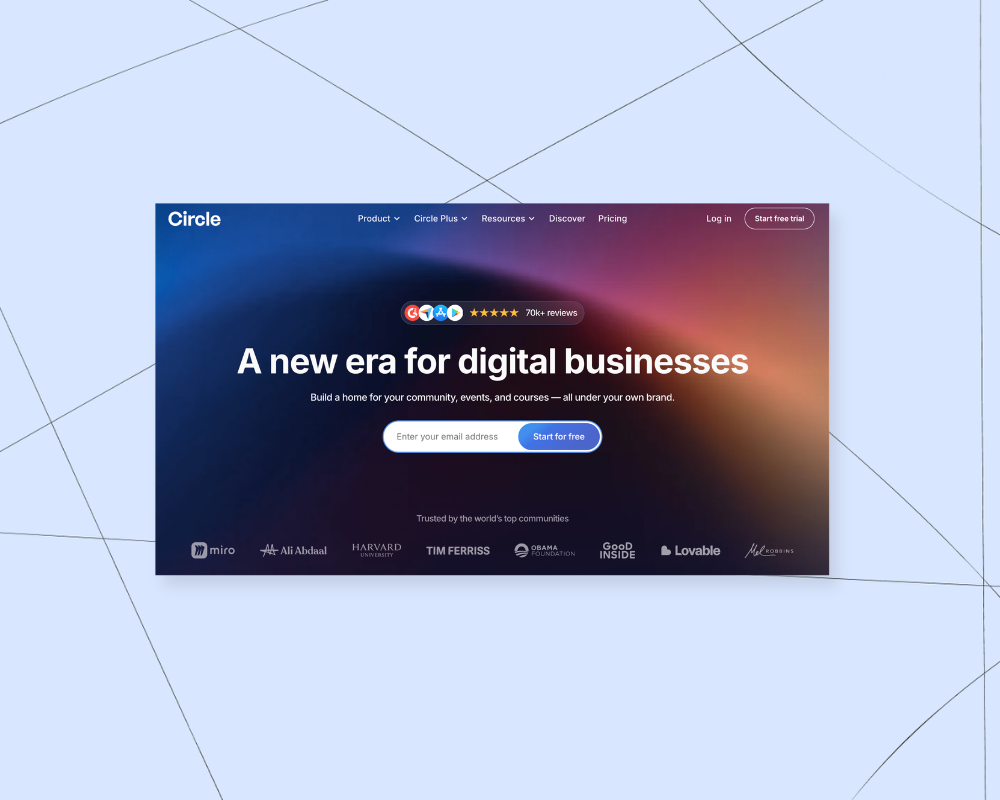
If you’re interested in building your online community, you’ve probably come across a platform called Circle. Circle (or Circle.so) is a solid choice for community building because it offers interactive discussion spaces, live events, and membership tools to keep your audience engaged.
But if you’re looking for a platform that helps you not only manage a community but also build an entire business, you might need a solution with more built-in features.
In this post, we’ll cover:
- Circle’s pros and cons: What it does well and where it has limitations
- 6 alternatives to Circle for different types of businesses
- How to choose the right platform based on your goals
If you want to run a business where your community is just one part of the bigger picture, these alternatives might be a better fit. But first, here’s the lowdown on Circle.
Circle Pros and Cons

Circle is a well-known platform for building online communities, and it does that well. If you already have an engaged audience and want to focus on growing a paid community, it could be a good fit.
But since Circle is built primarily around community features (with things like courses added on), it may not be the best choice if you want to lead with your products. Here’s a breakdown of the pros and cons to help you decide.
Circle pros (community, courses, branded app support)
Circle has strong community tools, and you can use the platform for organized discussions, events, live streams, and chats. Community members can set up rich profiles and can also use search and filtering features to find people in their area or with shared interests.
Circle also lets you offer community-based courses. These courses are designed to be very interactive since they're connected to the community, and within your courses, you can host office hours, livestreams, cohorts, and live Q&A sessions.
On the checkout side, you can gate certain parts of your community, offer different payment tiers, create subscription plans, and offer upsells to increase the value of each order.
And if your community really takes off, Circle has a feature where you can set up your own branded app for Android and iOS stores. This add-on has custom pricing that isn't listed on their website, but it's nice to know the option is there if you think you'll need a custom app in the future.
While there's a lot Circle does well, no tool is right for everyone. Here are a few downsides to keep in mind.
Circle cons (expensive, storage and space limits, need more tools for building your audience)
A big barrier to using Circle is the price. Circle is on the expensive side compared to other creator community platforms. All plans have space and storage limits, as well as transaction fees.
Plus, you'll likely need to add more tools to build your business, like a sales funnel tool, a blogging platform, and a website builder.
Here's how Circle's plans and pricing work:
- Professional Plan ($89/month, billed annually): Unlimited members, 3 admins, and 10 moderators. Includes 20 spaces, 200GB attachment storage, courses, live streams, and custom branding. 2% transaction fee.
- Business Plan ($199/month, billed annually): Unlimited members, 5 admins, and 15 moderators. Offers 30 spaces, 500GB attachment storage, workflows, custom profile fields, and API access. 1% transaction fee.
- Circle Plus Plan (custom pricing): Unlimited members, admins, and moderators. Provides flexible space limits, 1TB attachment storage, AI agents and workflows, custom single sign-on (SSO), and priority support. 0.5% transaction fee.
- Branded Apps (optional add-on to Circle Plus): Your own iOS and Android apps, in-app purchases, and a dedicated launch team, fully managed for you.
Circle also has an Email Hub add-on which lets you add email marketing to any plan. The Email Hub includes email sign-up forms, automations, and campaigns, and it's free to use if you have less than 100 contacts.
But after that, the pricing jumps to an extra $19/month for up to 1000 subscribers and $29/month for up to 1500 subscribers. (For comparison purposes, Podia includes email marketing with every plan — up to 100 subscribers on Mover, 500 on Shaker, and 1,000 on Earthquaker — and you can add more subscribers as your list grows.)
Of course, you don't have to use the Email Hub add-on if you don't want to, but then you'll need another tool for sending emails, running automations and campaigns, and keeping track of your audience information.
Additionally, Circle doesn't have many features for actually growing an audience for your community. The best community in the world isn't going to grow if no one knows about it. And Circle doesn't have blogging, lead magnets, or link in bio features, which can make it hard to get visibility on your work.
Finally, Circle only has community and course product types, which could feel limiting as you grow. If you wanted to offer digital downloads and ebooks, for example, there isn't a native way to do that in Circle. You may need to connect other tools if you branch out into other types of learning materials.
That said, if you know you only want to run a community and you've already got your marketing and audience locked in, this might not be an issue. But if you're building a different kind of online business, these alternatives to Circle are worth a look.
#1 Podia — Best all-in-one business and community alternative to Circle

Podia is an all-in-one Circle alternative where you can build a community alongside your online courses, digital products, website, email marketing, affiliates, and everything else you need to grow.
All plans come with unlimited landing pages and blogging, and you can use Podia’s easy website builder to set up your site exactly the way you want. This gives you lots of ways to bring people into your business and reach new customers, all from one hub that you can customize.
You can also create courses, products, and community plans for your members, and you can set up product bundles that pair community access with other resources you’ve created.
Within your community, you can customize your badges, create private and all-access community areas, and share rich media like videos, images, embeds, text, and links. You can also tag or mention people in community comments so they get a notification.
Community access can be bundled with any other product you make, and you can also add discussion spaces directly inside your courses and products depending on the type of program you’re offering. And when your members are logged in, you can also sell additional products to them from a customizable online storefront, built right into your community.

Podia also has a full-featured email marketing tool with automations, sales funnels, email templates, analytics, and newsletters so you can stay in touch with your people. Podia Email is included with every plan, with subscriber allowances based on your plan.
How does Podia help you grow a business?
Podia is a tool for building your full online business, and your community can be a part of that. You’ll have all the tools you need to run a system where you share your knowledge, grow an audience, automate your marketing, and scale with more products and affiliates as your business evolves.
- Mover: $49/month ($42/month billed annually) with a 5% transaction fee. It includes your website, blog, landing pages, community, digital products, and courses, with up to 50 products, 25 community spaces, and 100 email subscribers.
- Shaker: $99/month ($84/month billed annually) with no transaction fees. It includes everything in Mover, plus affiliate marketing, upsells, one assistant seat, and integrations with PayPal, Zoom, and Zapier, with up to 150 products, 100 community spaces, and 500 email subscribers.
- Earthquaker: $179/month ($150/month billed annually) with no transaction fees. It includes everything in Shaker, with unlimited products, unlimited assistant seats, unlimited video storage, unlimited community spaces, and up to 1,000 email subscribers.
All plans come with a 14-day free trial and include access to Podia’s email platform — up to 100 subscribers on Mover, 500 on Shaker, and 1,000 on Earthquaker. Additional subscribers can be added for a fee. All plans also include free migrations so if you’ve already built products on another platform, Podia can help you move for free.
Podia Pros: You can make digital products like courses, downloads, webinars, and coaching programs with the same tool you use to run your community. Your community can have unlimited members and spaces, and you can create as many different payment tiers or areas as you like. You can also add discussion spaces to individual products (like a Q&A section within your course) as another way to boost engagement.
After working with over 15,000 solo business owners, one of the most common things we hear is that having everything in one place means more time to do what you love.
“I now have 300 paying members across the world and an email list of nearly 4,000. The community feature is easy for me and my members to use.”
Cons: Podia isn’t the best fit if you’re looking for code-level customizations or if you want to fully DIY your setup with integrations. Podia also doesn’t have the option to build a branded community app, so if this is a priority, you may need other tools.
#2 Mighty Networks — community-focused Circle alternative

Like Circle, Mighty Networks is a community-centered platform that lets you build courses and create other interactive experiences for your members. Every plan includes unlimited members and spaces, so you can structure your community however you like.
Compared to Circle, Mighty Networks has a slightly lower starting price for solo business owners who want to make a community. Circle's starting plan is the Professional Plan ($89/month, billed annually), but Mighty Networks lets you start with the Launch Plan ($95/month or $79/month billed annually).
You can host live events, personalize your community feeds, enable member profiles, and add gamification elements to keep people active and connected. Plus, built-in chat and live streaming make it easy to interact with your members in real-time.
If you want to charge for access, Mighty Networks lets you offer paid memberships with one-time or recurring payments. Courses are included on all plans, so you can create courses with dedicated community spaces where students can interact, ask questions, and learn together.
While Mighty Networks gives you tools for community engagement, it doesn't include a website builder, blogging tools, or email marketing. If you need features to grow your audience (like sales funnels, lead magnets, or email campaigns), you'll need to connect and pay for additional tools. Mighty Networks also charges a transaction fee on all plans, which could feel limiting as you grow.
How does Mighty Networks help you grow a business?
Mighty Networks lets you set up an interactive community space where people can chat, attend events, join live sessions, and meet other people with shared interests. There's also a built-in member referral program, which encourages your existing community members to invite others.
Mighty Networks pricing
- Launch Plan ($95/month or $79/month billed annually): Unlimited members and spaces, with courses, events, and basic automations. 200GB storage. 2% transaction fee.
- Scale Plan ($215/month or $179/month billed annually): Everything in Launch, plus more integrations, intermediate automations, and the ability to charge for events. 500GB storage. 1% transaction fee.
- Growth: $425/month ($354/month when paid annually): Includes everything in Scale, plus 3 landing pages, advanced automations, simultaneous promotions, growth expert sessions, priority support, and 1TB storage. 0.5% transaction fee.
- Mighty Pro (custom pricing): Your own branded iOS and Android apps, white-labeling, SSO, and dedicated strategy and support services. 4TB of storage. 0.5% transaction fee.
Heads up: Mighty Networks retired its old Community, Courses, Business, and Path-to-Pro plans in its 2026 restructure, so Launch, Scale, and Mighty Pro are the plans you can actually buy today.
Pros: You can set up a community with unlimited members and spaces on any plan, and courses are included from the Launch plan onward. Mighty Networks also has lots of gamification and community engagement tools like questions, polls, top contributors, streaks, and events.
Cons: Mighty Networks has transaction fees on all plans, which could add up as your business brings in more money. There are also storage limits on all plans. And since it doesn't include a website, blog, or email marketing, you'll need to pay for extra tools to grow your audience outside the community itself.
#3 Skool — simple, gamified community platform

Skool is a community platform built around a single shared feed, with gamification features like levels and leaderboards built in from the start. It's a much simpler tool than Circle, with straightforward pricing and just two plans to choose from.
Skool doesn't include a website, blog, or landing pages, and email marketing is limited to broadcast-style messages to your existing members. If you want built-in tools for growing an audience beyond the community itself, you'll need to look elsewhere or connect additional tools.
(For that reason, Skool works best if you already have an audience on another channel like social media or YouTube.)
Everyone in a Skool community shares the same feed and categories, so you don't get separate private areas for different membership tiers the way you would with Circle or Podia. You can still gate courses and live events by plan or level, but the community itself stays unified across all members.
How does Skool help you grow a business?
One thing that sets Skool apart from alternatives is that there’s a community marketplace, where your group can be listed so new people can browse and request to join. Beyond that, discovery relies mostly on you bringing your own following, since there aren't any landing pages, blogs, or lead magnets included.
Skool pricing
- Hobby Plan ($9/month): Unlimited community members, video hosting, and live streaming. 10% transaction fee.
- Pro Plan ($99/month): Everything in Hobby, plus custom URLs, advanced analytics, and the option to hide suggested communities. 2.9% transaction fee.
Pros: Skool is affordable to start, with unlimited members on both plans and no complicated tier structure to navigate. Built-in gamification features like leaderboards and levels help keep members active and engaged. The community marketplace also gives you a built-in way for new people to discover your group.
Cons: Every Skool plan comes with a transaction fee, and there's no way to remove it as you grow, even on the Pro plan. Courses live inside the community as part of a classroom area rather than as standalone products, and they're fairly basic with no quizzes or completion certificates. You'll also need separate tools for your website, blog, and any real email marketing, since Skool only supports simple broadcast messages to existing members.
#4 Discord — free forum and community software

Discord is a group chat and forum tool that can work for online communities. It’s mainly a way for people to hang out online, and there are features for live streaming and sending voice/text notes to other members in your space.
Unlike Circle, Discord doesn’t have features for making online courses. Out of the box, it’s not really set up for selling community access either, although you do have the option to create a membership to your server by setting up different plan tiers and charging monthly fees.
Overall, Discord is more of a casual chat space than a structured membership.
The perks? It’s free to use, you can add fun emojis and stickers in your space, and it’s available on desktop or mobile devices so your members can have community access anywhere they go.
How does Discord help you grow a business?
Discord is a good option if you want to be able to easily chat and message with your people, and it’s free to set up. While small business owners might struggle to build a business only with Discord (for example, you would need other tools for your website, email list, products, etc.), it’s a good tool to use for staying connected.
Discord pricing:
- Free Plan ($0/month): Offers unlimited messaging, voice, and video calls, 25MB upload limit, standard voice quality, and access to basic features like custom emojis within the same server.
- Nitro Basic ($2.99/month or $29.99/year): Includes all Free Plan features plus 50MB upload limit, use of custom emojis and stickers across servers, custom app icons, and a Nitro badge on your profile.
- Nitro ($9.99/month or $99.99/year): Offers all Nitro Basic features plus 500MB upload limit, HD video streaming up to 4K at 60fps, two server boosts, animated avatars and profile banners, ability to join up to 200 servers, longer messages up to 4,000 characters, custom Discord tags, and access to exclusive activities.
Pros: Discord is great for real-time interaction, and members can engage instantly via chat, voice, or video. Creating and managing a Discord server is free, making it accessible for any business or creator. Plus Discord has direct integrations with YouTube and Podia so you can connect your work with your community.
Cons: Discord is primarily a chat tool, so you’ll need other software to create a landing page or website promoting your community. Discord is also not set up to sell digital products, courses, or structured memberships. The platform emphasizes quick chat conversations as opposed to long, organized posts, so you may need another tool for your programs. You’ll also need another tool for email marketing.
#5 Kajabi — all-in-one with products and community

Kajabi is an all-in-one tool for building courses, products, and community. You can sell everything from coaching programs and podcasts to memberships and paid newsletters, and you can manage everything in one place.
Basic and Growth accounts each come with one community, while Pro includes three. In addition to community, Kajabi has your website, blog, and landing pages so you can promote your work. That said, there are product limits and contact limits on all plans, which could be a problem as your business and community grows.
For example, Kajabi's Basic plan ($179/month or $143/month billed annually) only includes 5 products, so a growing product lineup can outgrow it quickly.
If you sell more than five products — say, a few online courses, a membership, and some digital downloads — you'd need to upgrade to the Growth Plan ($249/month or $199/month billed annually) to make anything else.
How does Kajabi help you grow a business?
Kajabi is a good option for building a community that's automatically connected to your website, products, courses, and audience.
Kajabi pricing
- Basic Plan ($179/month or $143/month billed annually): Includes 1 website, 1 community, 5 products, up to 2,500 contacts, unlimited marketing emails, landing pages, funnels, and 1 extra admin user.
- Growth Plan ($249/month or $199/month billed annually): Includes everything in Basic, plus 50 products, up to 25,000 contacts, affiliate marketing, cohort courses, advanced automations, webhooks, third-party integrations, the ability to remove Kajabi branding, and 10 extra admin users.
- Pro Plan ($499/month or $399/month billed annually): Includes everything in Growth, plus unlimited products, 3 websites, 3 communities, up to 100,000 contacts, a branded mobile app, API access, a custom code editor, and 25 extra admin users.
Pros: The main pro of Kajabi is that it's an all-in-one option, meaning that your community is connected to products, website, and email. If you hope to run multiple communities one day, there’s the option to get up to three on the Pro Plan.
Cons: Kajabi is one of the more expensive all-in-one community tools on the market, and there are product and contact limits on all plans.
If you had a large free community, for instance, you might need to upgrade to a more expensive plan just to increase your contact allowance, without necessarily earning more money.
Basic only includes 5 products, so creators with a growing catalog will likely need to upgrade sooner than they would with other platforms. That’s why many consider Kajabi alternatives to keep costs down and get more space to build.
#6 Facebook groups — free social media community space

Facebook groups are the old-school online communities, and there are millions of groups out there that people can join. Facebook groups have feeds where people can interact with each other, post questions and comments, and share information.
Anyone can create a Facebook group, and you can set your group to public or private. You can also go live, create events, share polls, and add files so people in your group can find what they need.
Even though Facebook groups are free to set up, there’s no way to charge for access on the platform. It’s possible to do a workaround where you use another tool to create a product that people have to buy before receiving an invite to your Facebook group, but that can require a lot of clunky manual work.
How do Facebook groups help you grow a business?
Facebook groups work well if you’re trying to grow your reach, but they’re hard to monetize. This is a good option only if you need to communicate with lots of people for free around a shared interest, but for paid or VIP access communities, a paid tool will give you more control.
Facebook groups pricing
Facebook groups are free for anyone to create or participate in.
Pros: On the plus side, Facebook groups are free to use and there’s a low barrier to entry since a lot of people have Facebook accounts already. There’s also the possibility that people find you organically on the platform using Facebook’s search feature.
Cons: Social media is known for being distraction-central, so a downside is that your content will be fighting with ads, sponsored content, and other posts on Facebook. For people who don’t use or like Facebook, getting them to create an account could be a deterrent to joining your group.
Plus, you don’t have a way to export your member list or move them to a new platform if you want to switch in the future, and there’s no way to contact members outside of Facebook.
What’s the best Circle alternative for my solo business?
The right community platform for you depends on the goals you have for your business. Are you setting out to make just a community space? Do you need customer support tools for your existing audience? Are you looking for an all-in-one tool with built-in features for growing your community as well as your business?
The right choice for you depends on the business you’re making. So to refresh, here are six solid Circle alternatives and who they work best for:
- Podia: Best all-in-one Circle alternative for building a full business along with your community
- Mighty Networks: Best community-focused platform with a lower starting price than Circle
- Skool: Best if you just need simple community features with lots of gamification
- Discord: Best for hosting casual chat forums on your own server
- Kajabi: Good all-in-one product and community tool if you only have a small number of products
- Facebook groups: Best community tool for getting discovered by new people and growing a free group
My recommendation? If you’re starting an online business, go with an all-in-one tool like Podia.
You can set up a beautiful community that’s automatically connected to your courses, digital downloads, events, coaching sessions, and everything else. You’ll also have essential marketing tools like your website, blog, landing pages, and email all connected under one roof.
See what you can make on your 14-day free trial, and happy creating!


