

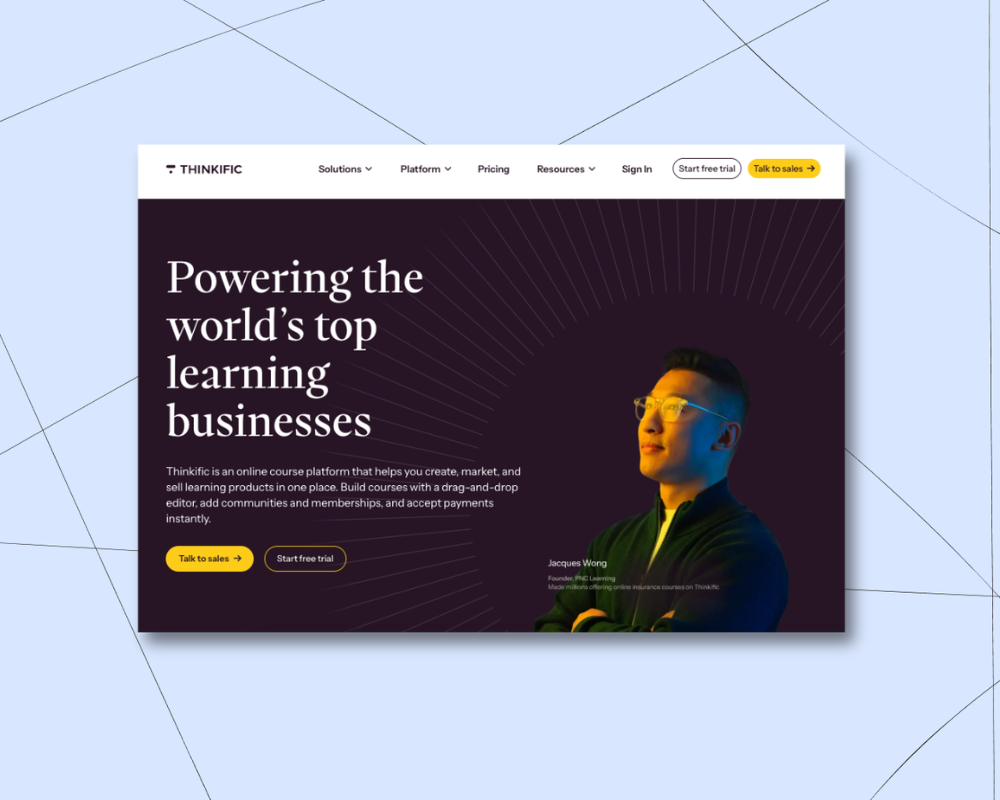

Looking for a place to sell online courses? You might have heard about an e-learning platform called Thinkific.
With Thinkific, creators can offer free and paid programs to up to 10,000 students on Basic, Start, and Grow plans (Thinkific Plus offers custom student limits for larger operations). You can upload as much course content as you want and even build a storefront to promote your offerings.
But while Thinkific is well-established in the course creation space, it might not be the best fit for creators who want to branch out with other product types.
Zuora’s 2025 Subscription Economy Index found that businesses running four or more revenue models grow faster and churn less than those relying on just one. The most resilient creator businesses mix more than one revenue stream, so it’s important to pick a tool that allows you to make lots of different offers for your customers.
In this guide, we’ll break down:
- The pros and cons of Thinkific, including its plan limits and pricing
- Eight Thinkific alternatives and how their features and pricing compare
- Which alternative makes the most sense depending on what you're building
That way you’ll walk away with a tool that helps you build great courses, but also a powerful business that’s set up for the long haul.
(If you’re short on time, our top pick Thinkific alternative is Podia. Podia has your courses, community, events, coaching, and downloads all in one spot, with your website and email connected out of the box. Try Podia free for 14 days.)
Thinkific pros and cons
Thinkific pros
Thinkific is known for courses, and you'll be able to make unlimited courses when you sign up for a paid plan. The Basic plan lets you make free, paid, and on-demand courses, but if you want to get more creative with your offers, you might need a higher-tier plan.
Features like private courses, assignments, course completion certificates, and course compliance tools aren’t available until the Start plan.
Thinkific also comes with community built in and a website builder so you can set up a site to promote the things you make.
If you need more functionality, the Thinkific app store comes with additional integrations and features. But be aware that some of these come at an extra cost.
One thing that makes Thinkific unique is that they offer an advanced tier for enterprise-level customers called Thinkific Plus. If you need features like SCORM compliance, AI teaching assistants, and CRM integrations with tools like HubSpot and Salesforce, you can unlock those by upgrading to a custom Plus plan.
Thinkific cons:
On the flip side, Thinkific has a few big limitations that could make things tricky as you grow.
While the Basic plan does have unlimited courses, it caps you at 5 digital downloads and 5 coaching or webinar sessions, and doesn't include paid memberships or subscriptions at all. You'll need the Start plan or above to sell unlimited digital downloads, coaching, and webinars, and to unlock memberships.
There's a student cap on every standard plan too. Basic, Start, and Grow all max out at 10,000 current students. If your business grows past that, you'll need to remove people or move to Thinkific Plus, which is custom-priced enterprise territory.
Communities are capped as well. Basic and Start both come with 1 community, and Grow bumps that to 3. Unlimited communities are reserved for Thinkific Plus.
Thinkific pricing:
Thinkific has a 30-day free trial with full platform access. From there:
- Basic: $54/month ($40/month billed annually), up to 10,000 students, 1 community, up to 5 digital downloads, no paid memberships
- Start: $109/month ($82/month billed annually), up to 10,000 students, unlimited downloads and coaching, 1 community, memberships and subscriptions included
- Grow: $219/month ($164/month billed annually), up to 10,000 students, 3 communities, Thinkific branding removed
- Plus: custom pricing, custom student limits, dedicated support
- Branded mobile app add-on: $199/month
8 Thinkific alternatives for creators
1. Podia (Best all-in-one platform for online creators)

Podia is an all-in-one tool for bringing your online business to life. While Thinkific mainly focuses on course creation, Podia lets creators sell courses, community, digital downloads, webinars, and coaching sessions. You can also manage email marketing, affiliates, and your website under one roof.
With Podia’s course builder, you can design a clean, visually appealing learning experience for your students in minutes. You can also offer multiple payment plans, create discussion areas for course participants, and add seat limits, access durations, and upsells.

Want to sell dozens of printables and PDF files? Go for it! You can build 50 products on Mover, 150 on Shaker, and unlimited products on Earthquaker, so you can let your creativity soar.
Podia plans also include a full website for your business. You don’t need to learn code or hire a developer. Simply use our intuitive page builder to create a digital home you love, complete with unlimited sales pages for your products and offerings.
According to Podia creator and piano instructor Joseph D’Amico, “Podia makes website building so fun. I feel like I could set up a site in an afternoon, and it would look great. And if there’s something to be said for how pretty it is. It’s the best-looking one by far.”

In addition to your courses, products, and website, Podia also gives your students a beautiful community home feed where they can see all their products and content in one place. You can charge for community access, create private spaces, or bundle community with other products, and community plans can have monthly pricing, annual pricing, and free trials.

Podia’s plans are competitively priced and packed with all the tools you need to run your business. Compared to Thinkific, you get a wider range of resources for a lower price with Podia.
Podia features:
- All-in-one alternative to Thinkific
- Sell courses, digital downloads, webinars, and coaching sessions
- Build an online community for your people
- Host live and virtual events
- Build a full, SEO-friendly website and blog on all plans
- Set up an online store so customers can easily find more products
- Email marketing, automations, and newsletters
- Affiliate marketing, upsells, coupons, and customer messaging
- Mover: $49/month ($42/month billed annually), 5% transaction fee, 50 products, unlimited students, 100 email subscribers
- Shaker: $99/month ($84/month billed annually), 0% transaction fee, 150 products, unlimited students, 500 email subscribers
- Earthquaker: $179/month ($150/month billed annually), 0% transaction fee, unlimited products, unlimited students, 1,000 email subscribers
You can add on more email subscribers at any time as your list grows.
Learn more about how Podia compares to Thinkific.
Get your free 14-day trial from Podia now to see these features in action.
2. Teachable
Teachable is an online course platform where you can sell courses and coaching programs on every plan, though product limits vary by tier. Creators get access to course design templates, certificates, and quizzes, and you can build a simple storefront website for all your product offerings.
Teachable features:
- Sell courses and coaching
- Build customizable sales pages for your courses and products
- Coupons, subscriptions, one-time payments, memberships, and bundles
- Email tool available on the Builder plan and above, limited to messaging people who've already purchased or enrolled
- Affiliate management resources
Teachable pros:
When you build courses with Teachable, you can enable course completion certificates and add interactive elements like quizzes. You can also make coaching offers, digital downloads, and memberships. In addition to providing sales pages to promote your work, Teachable handles behind-the-scenes financial tasks like paying you, your affiliates, and other authors.
Teachable cons:
The biggest downside of Teachable is that there are product limits on all plans. You can only make 5 products or courses on Starter, 10 on Builder, and 50 on Growth. These limits are tight, especially considering that you can get unlimited products and students for a better price with other online course platforms.
On top of that, Teachable is not ideal for building a brand community. Teachable used to have a community feature, but as of 2026 their website says that it’s no longer supported. That means that you’ll need to integrated with a third-party online community platform, which comes with additional costs.
Teachable pricing:
- Starter: $39/month ($29/month billed annually), 7.5% transaction fee, 5 products
- Builder: $89/month ($69/month billed annually), 0% transaction fee, 10 products
- Growth: $189/month ($139/month billed annually), 0% transaction fee, 50 products
- Enterprise: custom pricing, contact sales
3. Kajabi
Kajabi is an all-in-one alternative to Thinkific, where you can sell courses, digital products, coaching, memberships, and podcasts. You can also use Kajabi to handle your email marketing, run your affiliate program, build your website, and track your analytics.
Kajabi also offers in-depth sales funnels and automations that help you achieve a specific goal, like nurturing leads or launching a new product.
Kajabi features:
- Sell courses, downloads, coaching, memberships, podcasts, and communities
- Email marketing, affiliates, and analytics
- Website builder and templates
- Create advanced sales funnels
- Kajabi mobile app
Kajabi pros:
Kajabi is an all-in-one alternative to Thinkific, which means you’ll get access to a full suite of tools for one monthly rate. You can sell online courses, create a community, offer coaching and digital downloads, and even monetize your Podcast.
Kajabi doesn’t take a cut of sales made through Kajabi Payments (third-party payment providers come with an added fee), and Kajabi has a mobile app so students can view their courses on the move.
Kajabi cons:
Kajabi comes at a higher price point than similar tools in this space. In addition to the cost, Kajabi limits the number of products you can make on most plans and caps the number of active members in your programs on all plans.
Here are the limits on Kajabi plans:
- Basic: 5 products, 1 community, 2,500 contacts
- Growth: 50 products, 1 community, 25,000 contacts
- Pro: unlimited products, 3 communities, 100,000 contacts
Kajabi pricing:
- Basic: $179/month ($143/month billed annually), 5 products, 1 community, up to 2,500 contacts
- Growth: $249/month ($199/month billed annually), 50 products, 1 community, up to 25,000 contacts
- Pro: $499/month ($399/month billed annually), unlimited products, 3 communities, up to 100,000 contacts
4. Teachery
Teachery is a simple course software made by course creators, for course creators, and provides just the things you need without extra bells and whistles.
With Teachery’s white-label course platform, you can upload your content into two sleek layouts, create unlimited lessons, and house helpful resources for your students in one place. You can also create sales pages, payment pages, upsells and bundles, and promo codes to build hype around your offers.
Teachery features:
- Unlimited courses, lessons, and students
- Straightforward course builder with templates
- Sell memberships and bundle products
- Create sales pages and landing pages
- Integrations with Mailchimp, Kit (formerly ConvertKit), and Zapier
- Affiliate program
Teachery pros:
All Teachery plans come with unlimited courses and unlimited students. Teachery offers two payment plans, monthly and annual. Both options come with everything, so you don’t have to upgrade your plan or pay for additional add-ons as you grow. Teachery also has a lifetime deal where you can pay once and get access for life.
Teachery cons:
Teachery is primarily used for selling courses, and it’s not optimized for selling digital downloads or services like coaching. There’s no community feature, and plans don’t include video or audio hosting. Instead, you’ll need to upload your work to a third-party tool like Wistia, Vimeo, or YouTube and embed it into your course.
You’ll also need to connect other tools for your email marketing, website, and blog, as these aren’t built in.
Teachery pricing:
- Monthly plan: $49/month
- Annual plan: $470/year
- Lifetime plan: $950/life
5. LearnDash
With LearnDash, you can sell unlimited courses to unlimited students from your WordPress site. Create self-study programs, drip content over time, run a course forum, and gamify your program with leaderboards, course points, and badges.
You can list your courses as memberships, subscriptions, one-time payments, or product bundles. On the design front, LearnDash has customization options and works alongside most WordPress themes and page builders like Elementor.
LearnDash features:
- Sell courses from your WordPress website
- Drag and drop course builder
- One-time payments, subscriptions, memberships, bundles, and bulk licenses
- Gamification, quizzes, certifications, badges, leaderboards, and evaluations
- Drip feeds, prerequisites, and required videos to improve course completion rates
LearnDash pros:
The LearnDash online course platform can be used with almost any WordPress theme. Creators who love using WordPress can add course functionality to their existing site with just a few clicks. To use the LearnDash software, you simply pay a flat rate per year based on how many site licenses you need. There are no transaction fees.
LearnDash cons:
On the feature front, LearnDash doesn’t have a webinar tool or a way to teach live. You can only send basic email notifications to students, so you’ll need to connect another tool for advanced email marketing features.
If you want to build an affiliate program for your course, you’ll also need additional software since this isn’t a LearnDash feature.
Most importantly, LearnDash is a WordPress learning management system (LMS) plugin that must be used with a WordPress website.
While this is fine for creators who already have WordPress experience, beginners might face a steep learning curve. You may need to hire a developer for advanced customizations and functionality. You’ll be responsible for connecting, maintaining, and paying for add-on tools to make your site function the way you want.
On top of that, you’ll need to pay for your domain registration and third-party WordPress hosting, as well as any premium themes you may be using. Check out this guide to learn more about website hosting.
LearnDash pricing:
- Essentials: $259/year, drag-and-drop course builder, quiz builder, memberships and subscriptions
- Pro: $399/year, everything in Essentials plus AI course outline and quiz builder, advanced reporting and analytics
- Elite: $599/year, everything in Pro plus groups course management, multi-instructor course management
Plus costs associated with starting and running a WordPress site, like web hosting, themes, WordPress plugins, and domain registration.
6. LearnWorlds
Like Thinkific, LearnWorlds puts online course creation at the forefront. LearnWorlds is a learning management system built for educators and entrepreneurs who want to create online courses and their own mobile learning apps.
It comes with a website builder and a solid set of advanced course tools on higher plans, including SCORM support, AI-generated subtitles and translations, and interactive video.
One of the standout features is the mobile app builder. You can create your own branded app, send push notifications, offer in-app purchases, and go fully white-label if you want the experience to feel entirely your own. That functionality is available on the Learning Center plan as a paid add-on for an extra $149/month.
LearnWorlds features:
- Sell courses, memberships, subscriptions, and product bundles
- Built-in video editing tools and transcripts
- Create a mobile app for your brand (paid add-on)
- Add assessments, quizzes, question banks, and course completion certificates
- Affiliate management
LearnWorlds pros:
The built-in video editing tools make it easy to create engaging course content without a separate tool. Students get interactive extras like notetaking and highlighting right inside the course viewer, and the website builder means you can put together a full site without any outside help.
LearnWorlds cons:
LearnWorlds is heavily focused on course creation, so it may not be the right fit if community, digital downloads, or coaching are your main offer.
Plus, the Starter plan has some huge fees and limitations, that mean you might need to upgrade fast. Starter plan members pay a $5 fee on every paid enrollment, and you can’t offer free courses on that tier.
All plans also have student caps. Starter is capped at 1,000 active learners a month and 1 admin seat, with Pro Trainer raising that to 2,000 learners and 5 admins.
LearnWorlds pricing:
- Starter: $29/month, $5 fee per paid enrollment, 1,000 active learners, 1 admin seat
- Pro Trainer: $99/month, no enrollment fees, 2,000 active learners, 5 admin seats
- Learning Center: $299/month, 2,000 active learners, includes mobile app builder as paid add-on
- Corporate: custom pricing
7. Mighty Networks
Mighty Networks is an online community platform where creators can run free and paid membership communities, with courses and events included as part of that community. Courses can be cohort-based, on demand, or run as live challenges, and you can also build a resource library for your members.
Mighty Networks doesn't include a website builder, blog, or email marketing, so you'll need to connect other tools for those. It's also not built for selling digital downloads on their own, though you can add downloads inside a community.
Mighty Networks features:
- Community and membership site features
- Courses, events, badges, and tags on every plan
- Gamification and basic automations
- Communities can have unlimited members and moderators
- API access on Scale plan and up
Mighty Networks pros:
Mighty Networks was built for running communities, and creators get gamification, automations, and other membership tools out of the box. Courses and events live inside your community space, so you can teach in the same place your members hang out.
Mighty Networks cons:
There's no website builder, and you're limited to just one landing page on the Launch and Scale plans, and three landing pages on Growth. Email marketing isn't built in either, so you'll need to pay for and connect a separate tool to stay in touch with your list. (Also important to know, integrations with tools like Zapier, Affiliate platforms, and popular email marketing platforms are only available on the Scale plan.)
Mighty Networks also charges a transaction fee on every plan, 2% on Launch, 1% on Scale, 0.5% on Growth, and 0.5% on Mighty Pro, so as your revenue grows, so do your costs.
Mighty Networks pricing:
- Launch: $95/month ($79/month billed annually), 2% transaction fee, 200GB storage
- Scale: $215/month ($179/month billed annually), 1% transaction fee, API access, 500GB storage
- Growth: $425/month ($354/month when paid annually), 0.5% transaction fee, plus advanced automations, priority support, and 1TB storage
- Mighty Pro: custom pricing, 0.5% transaction fee, custom-branded mobile apps, 4TB storage
8. Udemy
Unlike the other platforms in this post, Udemy is an online learning marketplace where you can sell your courses to a wider audience. All you need to do is upload your course videos and content, and Udemy handles the bulk of the marketing for you.
Considering that they have a sizable audience of 40+ million worldwide students, this is a good option for creators who want to take a hands-off approach to selling courses. Udemy pays out using a revenue-sharing model. Udemy’s revenue-sharing plan:
- Instructors keep 97% when students enroll using their referral code.
- Instructors only keep 37% when students enroll without using their referral code.
Udemy can be a good fit if you’d rather not mess with digital marketing, but you’ll earn significantly more if you send students to your course using your referral code.
Udemy features:
- The platform has approximately 185,000 online video courses available
- Intuitive course builder
- Revenue sharing plan
- Students can leave course reviews
Udemy pros:
Udemy makes it easy for new creators to get started, and you won’t need a ton of extra marketing tools to share your course with a broad audience. Students can find you directly through the platform, and Udemy has a popular affiliate marketing program. Affiliates you don’t know may promote your course to their audience, earning you extra cash.
Udemy cons:
With Udemy, you have less control over your course format and pricing. Udemy will essentially control the learning experience, and you can’t create cohorts, drip courses, or real-time offerings.
There are caps on how much you can charge for your course, and it could be sold for a fraction of the usual price if you choose to participate in site-wide deals. Udemy must approve video lessons, and there are requirements for length and quality. While a hands-off platform may sound enticing, you may earn less than if you use a creator platform that gives you control over your course sales and audience.
For example, Podia creator John D. Saunders earned $1,100 in revenue on Udemy with 1,900 customers. When he switched to Podia, he earned $10,000 on launch day alone and has since earned over $200,000.
Finally, Udemy doesn’t include a website, sales pages, email tools, or the ability to sell diverse product types like memberships, coaching, and digital downloads.
Udemy pricing:
- Free for instructors
Which alternative to Thinkific is right for your business ?
The right Thinkific alternative for you depends on what you’re trying to build.
Best free alternative to Thinkific:
- Udemy is free forever
More affordable Thinkific alternatives:
- Podia: Plans start at $49/month with 5% transaction fee
- Teachable: Plans start at $39/month (though with a 7.5% transaction fee)
- LearnWorlds: Plans start at $29/month with $5 sales fee
- Teachery: Plans start at $49/month
- LearnDash: Plans start at $259/year
Best Thinkific alternatives that integrate with WordPress:
- LearnDash: WordPress LMS software
Best all-in-one alternative to Thinkific:
- Podia
With Podia, you can easily sell courses, events, community, coaching, and digital downloads. There are no student limits on any plans, and if you need unlimited products, you can sign up for the Earthquaker plan.
Because Podia is an all-in-one tool, you also get access to email, affiliates, a website builder, and customer messaging. Podia is the ideal option for creators who want their entire online business in one place.
Check it out yourself with a free 14-day trial from Podia.


